SG Pay
With our mini app, you can offer your users payment links with embedded SG Pay payment method designed for a faster, more seamless payment experience.
Using first-party transaction history from Smart Glocal company’s own products and services, the platform can recognize a customer’s most recently used successful payment card and surface it instantly at checkout, with 3D Secure authentication triggered in the background. If no associated card is available, an alternative payment method can be shown, helping keep customers on the path to purchase.
To integrate with our mini app, complete the following steps:
-
Provide the below information to your Account Manager at Smart Glocal. All the information is mandatory unless specified otherwise.
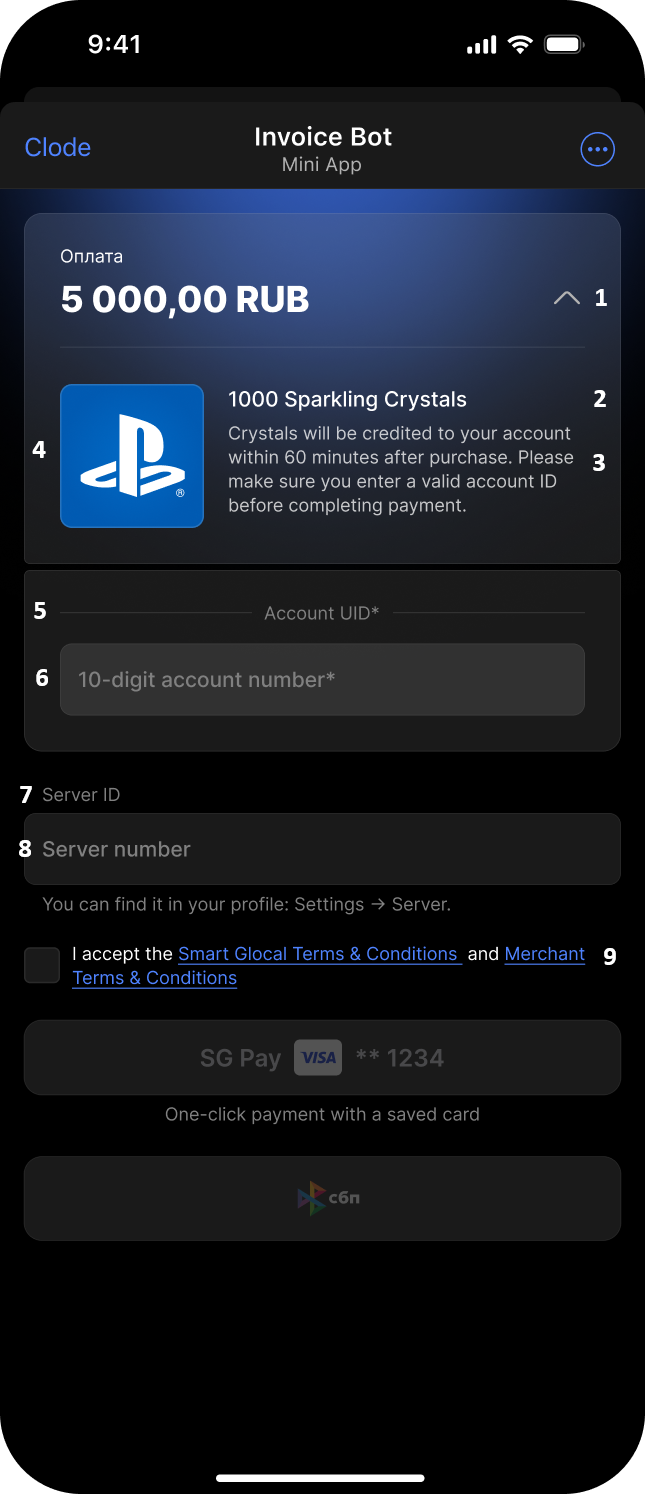
- Name of the product to be purchased (2)
- Any additional information (product details, shipment period, activation details, etc. up to 150 characters) (3)
- Price in Russian rubles (1)
- A link to a picture (optional) (4)
- Field name for identifying the user (5)
- Placeholder for the field identifying the user (6)
- Additional field name (optional) (7)
- Placeholder for the additional field (mandatory if the additional field name is provided) (8)
You can add up to two additional fields if required.
- A link to your offer to be added to the user's consent block (9)
- Contacts for user support
- A link to the address at which you want to receive our webhooks
Example of the payment page
-
Your Account manager will generate a payment link for you.
-
You place the link in your channel/bot/chat.
-
The user follows the link.
-
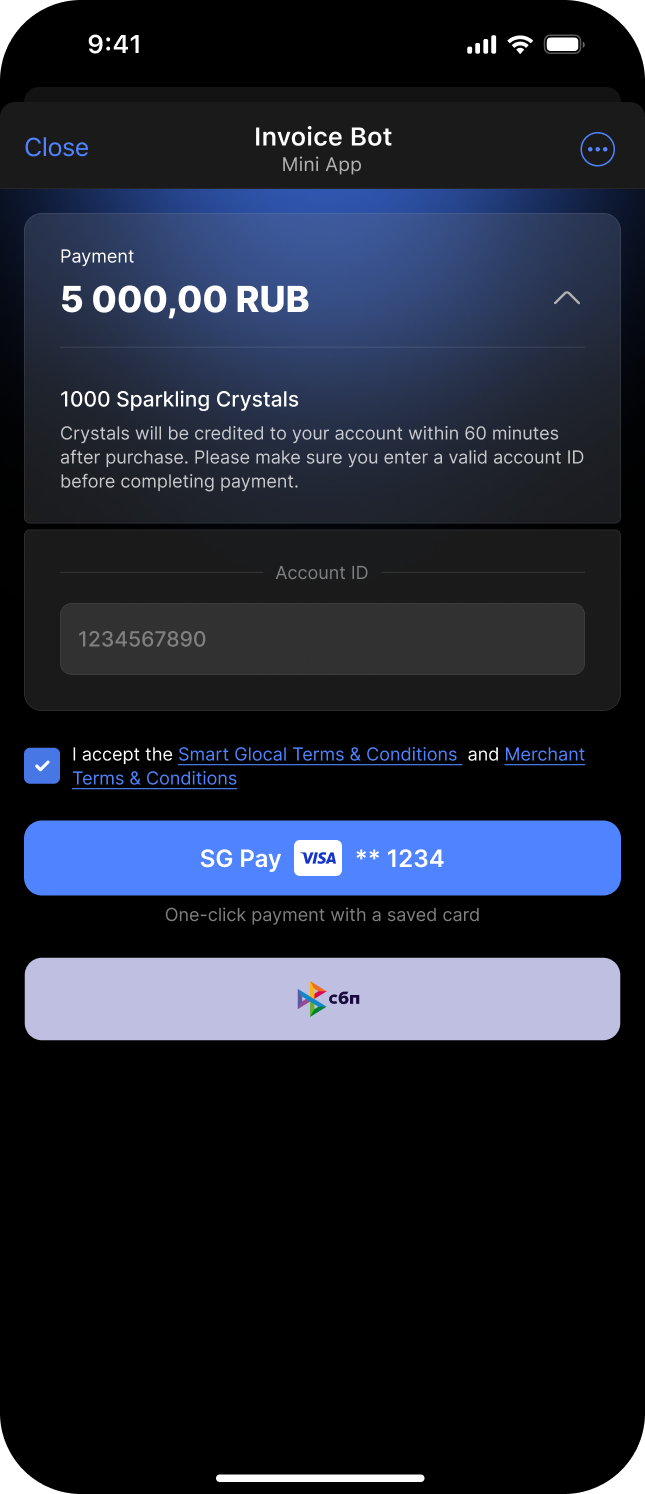
The user agrees to receive messages from the mini app. TO BE UPDATED
If the user leaves the checkbox blank, the payment is impossible.
Example of the consent block
-
If the user has already paid for anything with a card, the mini app will offer to use the latest card (SG Pay) or an alternative payment option (currently, we offer FPS payments).
-
The user completes the payment.
-
We send a
payment_finishedwebhook with the payment details in a standard way.Currently, all payments are automatically confirmed. If required, you can choose to confirm each payment, in which case we will also send a
ready_to_confirmwebhook. -
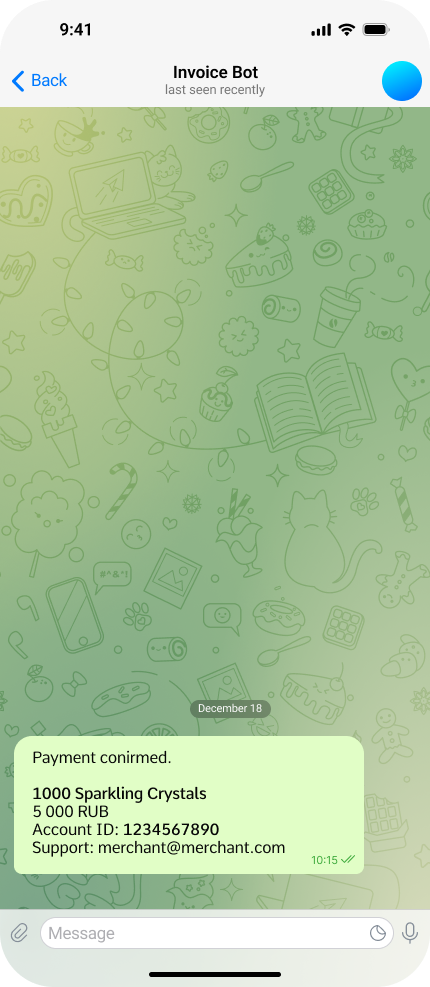
If the payment is successful:
- In case the user used the SG Pay option, the user is forwarded back to your channel.
- In case the user made an FPS payment, the user clicks the Get back button to get back to Telegram. TO BE UPDATED
If the payment fails, the user sees the support details.
Example of the success screen
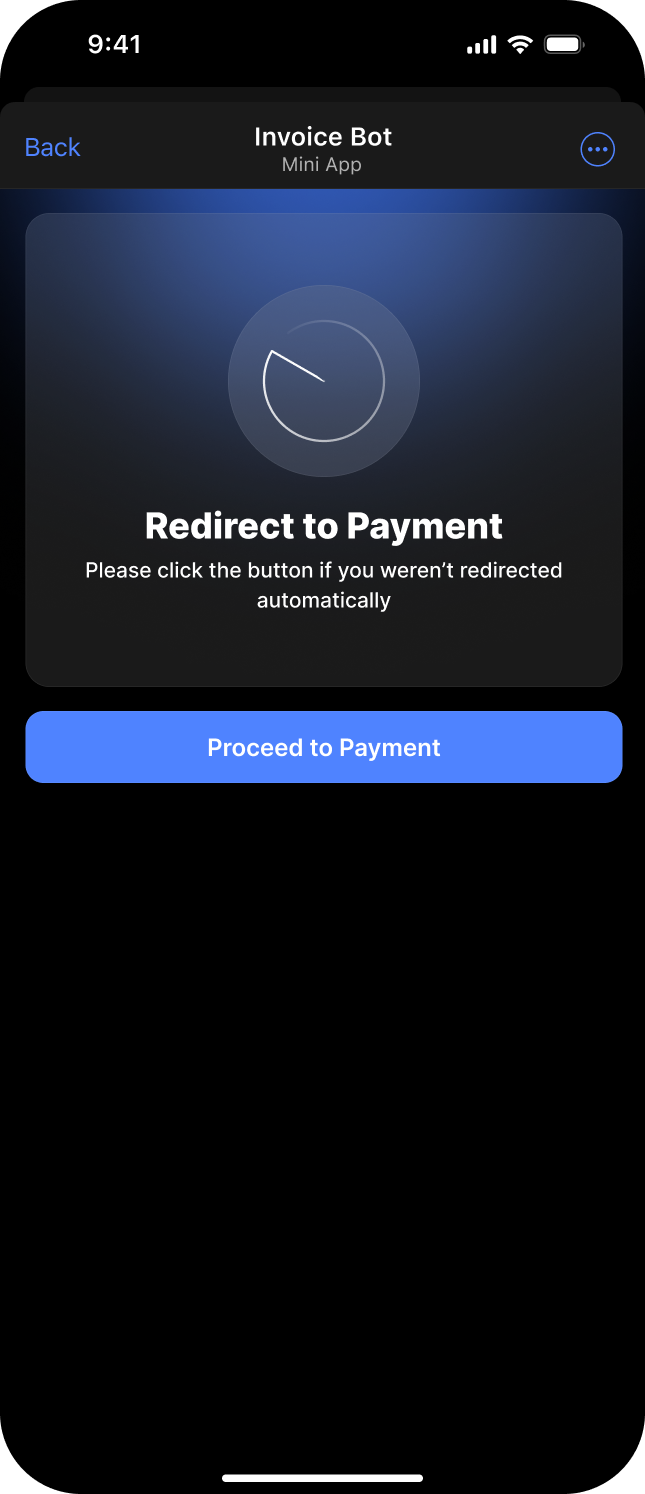
Example of the redirect page